Invoices, expenses, VAT and getting paid. In one place, for one person.
Bilio does the admin a freelancer actually has: send the invoice, chase it, file the receipt, know what you owe the tax office this quarter. Here is what is live today and what ships next, by month.
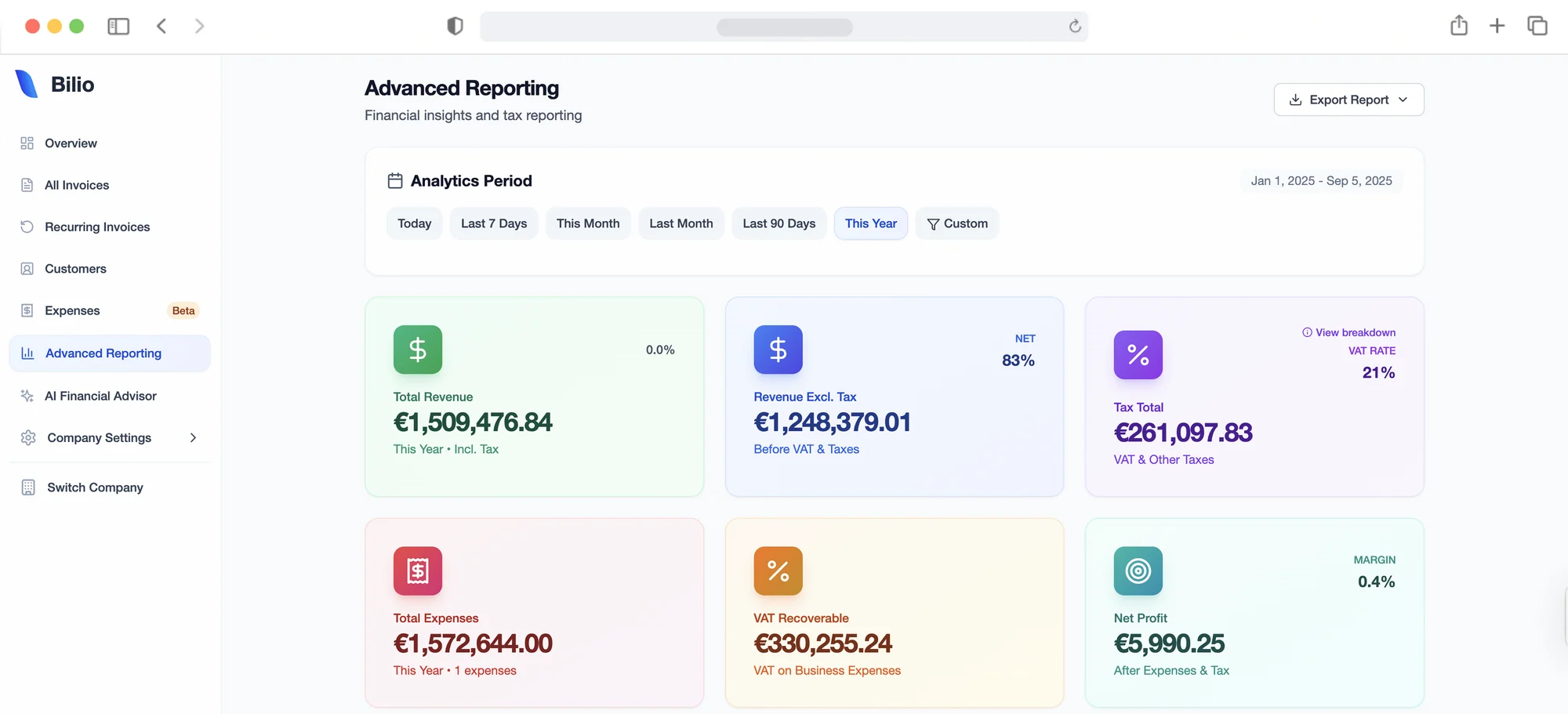
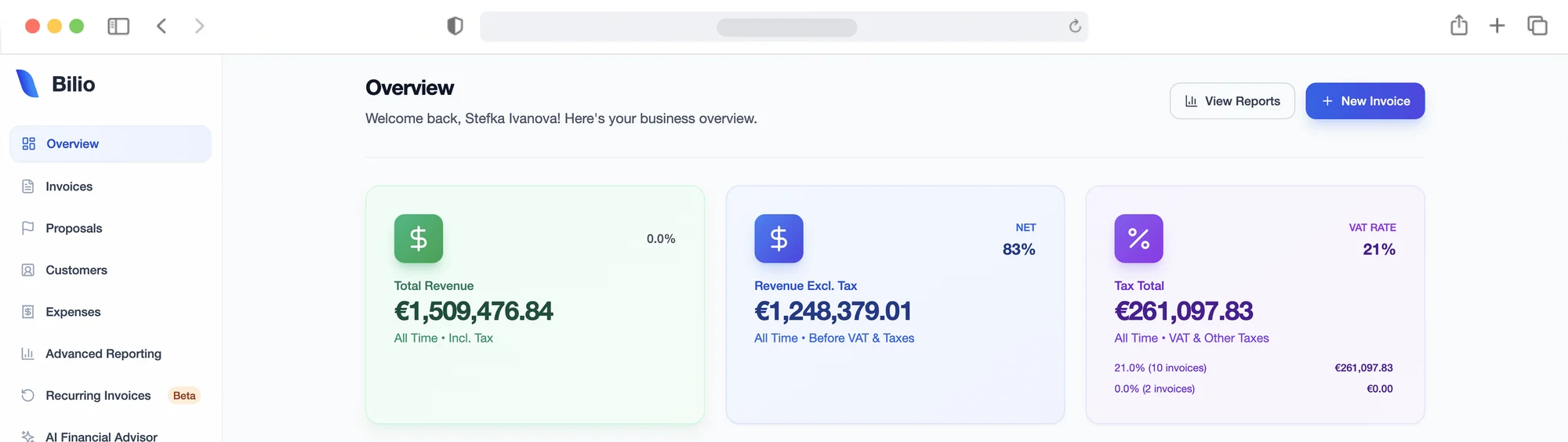
“The overview dashboard is a game-changer. I can open Bilio and instantly see how I’m doing, where I’m earning, and what needs attention. It’s the clarity I didn’t know I needed.”
Send an invoice in four minutes, then watch it get opened.
Pick one of five templates, add your logo, choose the currency your client pays in. Line items with per-line VAT and discounts. Send from Bilio and see delivered, opened and clicked, so “I never got it” stops being a conversation. Quotes work the same way; when the client accepts, one click turns the quote into the invoice. Invoice numbers run in sequence and never repeat.
- Five templates
- Any currency
- Per-line VAT rates
- Discounts per line or per invoice
- PDF download
- Open and click tracking
- Quote to invoice
- Recurring invoices for retainers
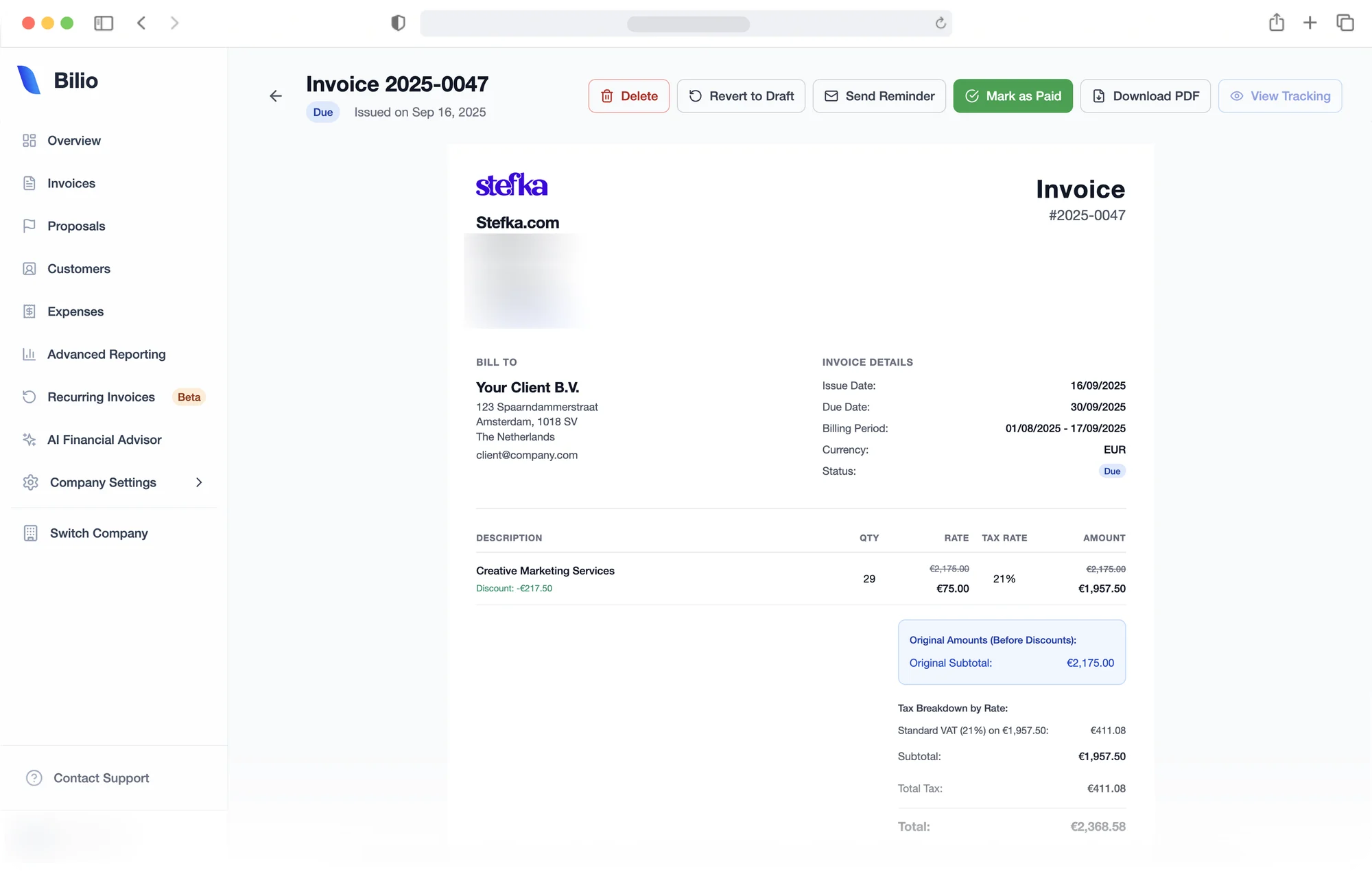
“I used to spend hours each week on admin. Now, with Bilio’s recurring invoices and email tracking, I barely lift a finger. It’s like having an assistant who never forgets.”
Photograph the receipt. Bilio does the typing.
Upload a receipt and Bilio reads the vendor, date, amount and VAT and files it in the right category. Mark it deductible and it lands in your VAT report. In December you get an inbox address: forward receipts from your email and they file themselves.
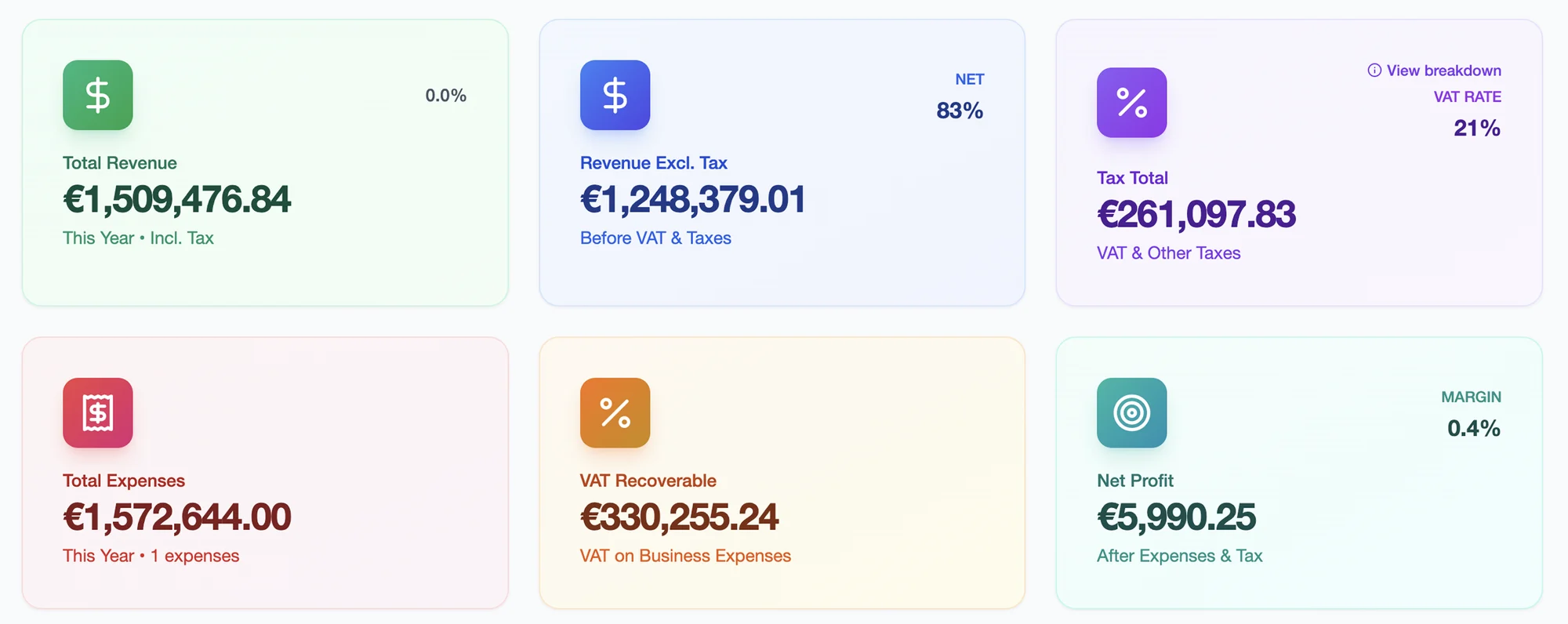
“I finally stopped losing receipts and guessing my expenses. Bilio’s expense tracking is clean and simple, and it helps me budget without overthinking. My accountant loves it too.”
Know what you owe before the quarter ends.
Your VAT collected, VAT paid and the balance, per quarter, with the deadline shown. Dutch btw with KOR support, Spanish IVA with a Modelo 130 estimate, Bulgarian DDS, and the EU reverse-charge rules for business clients abroad. From December: a btw-aangifte and ICP export your accountant can file from, and a VAT-number check on every client with the reverse-charge line written for you.
“Keeping up with VAT used to be a nightmare. Bilio tracks everything in real time, and the reports are ready whenever I need them. I haven’t touched a spreadsheet in months.”
A pay button on every invoice, money straight to you.
From November, invoices carry a payment link: iDEAL, card or SEPA, paid to your own account, and the invoice marks itself paid. Bank transfer stays the default; the button is there for clients who want it. From February: automatic reminders on the schedule you choose, with a late-fee option.
- iDEAL, card or SEPA
- Paid into your own account
- Invoice marks itself paid
- Automatic reminders from February
Your bank, matched to your invoices.
Connect bunq, Knab, ING, Rabobank, Revolut, Wise or N26. Incoming payments match to sent invoices and outgoing ones to expenses. Three accounts on Pro, unlimited on Business.
- bunq, Knab, ING, Rabobank
- Revolut, Wise, N26
- Payments matched to invoices
- Three accounts on Pro, unlimited on Business
Ask Claude to draft the invoice.
Bilio has an MCP connector. Connect it from Claude, ChatGPT or Cursor in under a minute and ask: “who hasn’t paid me?”, “draft an invoice for Happeo for 40 hours at 120”, “what do I owe the Belastingdienst for Q4?”. Drafts appear in Bilio; sending always needs your confirmation.
How it works- Claude, ChatGPT and Cursor
- Read only, or read and draft
- Sending always needs your confirmation
- Every action in your activity log
“The AI suggestions have been surprisingly helpful. Bilio flagged overspending trends I had missed and suggested ways to rebalance my pricing. My profits are up, and I feel in control.”
Invite a colleague. Or your boekhouder.
Owner, admin and viewer roles. From March, a free accountant seat with the exports they ask for.
A dated list, updated monthly.
If a feature says November, that is the month it ships or this page changes.
- November
- Payment links
- MCP connector
- December
- VAT-number check and reverse charge
- Receipt inbox
- Dutch interface
- Btw and ICP export
- January
- Bank feeds
- February
- Automatic reminders
- Peppol e-invoicing
- March
- Accountant seat
- Bulgarian invoice template
Questions about the product.
Is Bilio really free?
Do I need a card to start?
Can I send quotes?
Does Bilio support recurring invoices?
Can my accountant use it?
What happens if I cancel?
Is my data safe?
Which countries does the VAT reporting cover?
Your first invoice takes four minutes.
Create an account with your email, add your business details, send. No card, no setup fee, no downloads. Cancel any time and take your data with you.