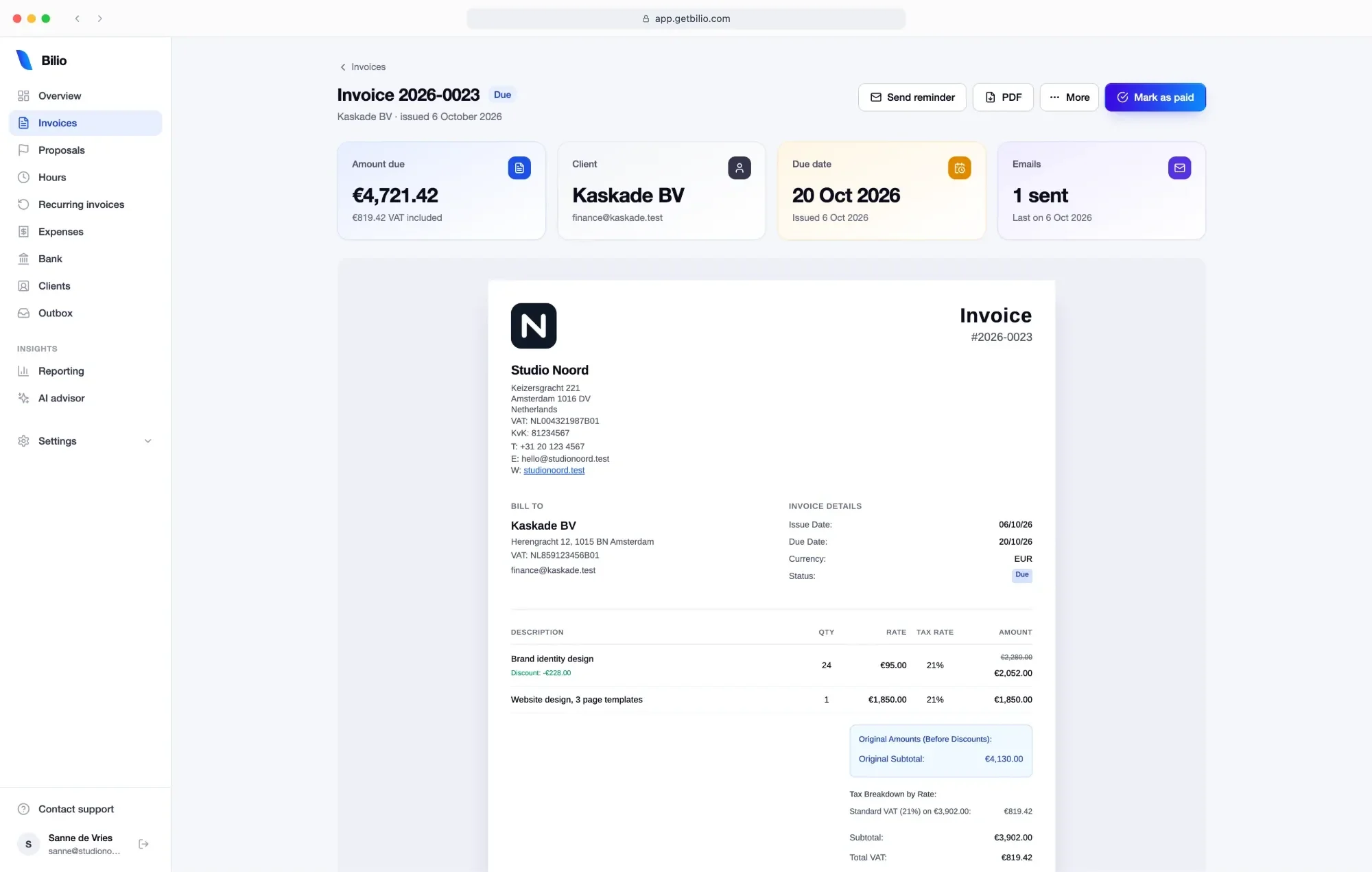
Bilio checks the client’s VAT number with VIES and prints the legal wording on 0% invoices for you.
Invoice 2025-0048 sentClient in Helsinki
Opened by the client2 minutes later
Paid · €4,000.00Marked paid
Receipt read · €49.00Pixelmint, 21% VAT, software
Facts we can stand behind
🇳🇱🇫🇮🇫🇷🇺🇸🇬🇧🇧🇪🇧🇬🇸🇰🇪🇸🇮🇹🇸🇪🇩🇰🇮🇪
13 countries
Clients invoiced through Bilio, across Europe, the UK and the US
Countries: the Netherlands, Finland, France, the United States, the United Kingdom, Belgium, Bulgaria, Slovakia, Spain, Italy, Sweden, Denmark and Ireland.
Jul 2025Today
16 months
In daily use since July 2025, on real invoices
In the EU
Where your data is stored
•••• •••• •••• ••••
€0 to start
No card
Needed to start, on any plan
Everything in one place
Invoice, get paid, keep the books. Now with your hours.
The admin after “I did the work”, and now the hours and the proposal before it. No separate timer, quote tool or btw spreadsheet.
Invoice2026-052
ENNLDEESBG
ToBrightfold OyHelsinki, Finland · FI12345678
Brand strategy, 40 h × €100€4,000.00
Workshop, 1 day€950.00
VAT reverse charged, art. 196€0.00
Total€4,950.00
UBLXRechnungCredit note
Sent
ING · statement OctoberCAMT.053
3 OctKestrel & Pine B.V.+ €2,420.00✓2026-048
4 OctBrightfold Oy+ €4,000.00✓2026-049
4 OctPixelmint− €59.99✓Software
6 OctStudio Halvar+ €1,210.00✓2026-050
14 payments matchedPay now · iDEAL
PixelmintRailgoVoltshopTelmoDeskhive12 receipts read · 1 possible duplicate
Btw-aangifte Q3Due 31 Oct
1aSales at 21%€9,450
3bServices to EU businesses€4,950
5bInput VAT− €612
To pay€1,372
00:47:12Brightfold · WebsiteStop
5.5Mon7Tue3Wed6.5Thu4Fri
32.5 h not invoiced yetMake draft invoice → €3,087.50
Proposal 2026-P014Website redesign · €4,800
To accept, type your full name
Anna de Wit
DeclineAccept proposal
✓ Accepted by Anna de Wit · 14:02 · you’ve been emailed
Why Bilio
Three things we will not do to you.
01
No caps, ever
Other tools give you five clients or three invoices a month and then ask for a card. Bilio’s free plan has unlimited invoices, quotes, clients and team members. When you upgrade, the price you see is the price for two years.
A typical free plan3 of 3 invoices
Add a card to continue
Bilio Starter, €0No limit
∞Invoices
∞Quotes
∞Clients
∞Team members
Your price, locked for 24 months
02
Made for cross-border work
Your clients are in three countries and your VAT rules are in four, whether you call it VAT, btw, USt, IVA or TVA. Bilio checks their VAT number with VIES, suggests the right VAT from where they are, writes the reverse-charge line for you, puts your KvK and VAT numbers on the invoice, bills in their currency and keeps your btw, IVA or DDS report ready for the quarter.
🇳🇱Client in the Netherlands21% btw
🇫🇮Client in FinlandVAT reverse-charged
🇫🇷Client in FranceVAT reverse-charged
btwIVADDSready for the quarter
03
Natively AI
Connect Bilio to Claude, ChatGPT or Cursor and say “draft an invoice for Kestrel & Pine for October”. The draft appears in Bilio; check it there, or let your assistant send it once you OK the preview. You decide what each assistant may do.
Live
You askDraft an invoice for Kestrel & Pine for October
Bilio draftsDraft Kestrel & Pine · October Waiting for you in Bilio
You sendSend invoice
The product
Everything a freelancer’s admin needs, nothing a corporate’s does.
01Live
Invoices and quotes
Nine invoice designs in your brand colour and font, in English, Dutch, German, Spanish or Bulgarian. A check before you send catches what a Dutch invoice must show. Your client accepts a proposal online and it becomes the invoice in one click; a mistake becomes a credit note, with every change kept.
9 designs
5 languages
Proposals accepted online
Credit notes
UBL and XRechnung
02Live
Expenses and receipts
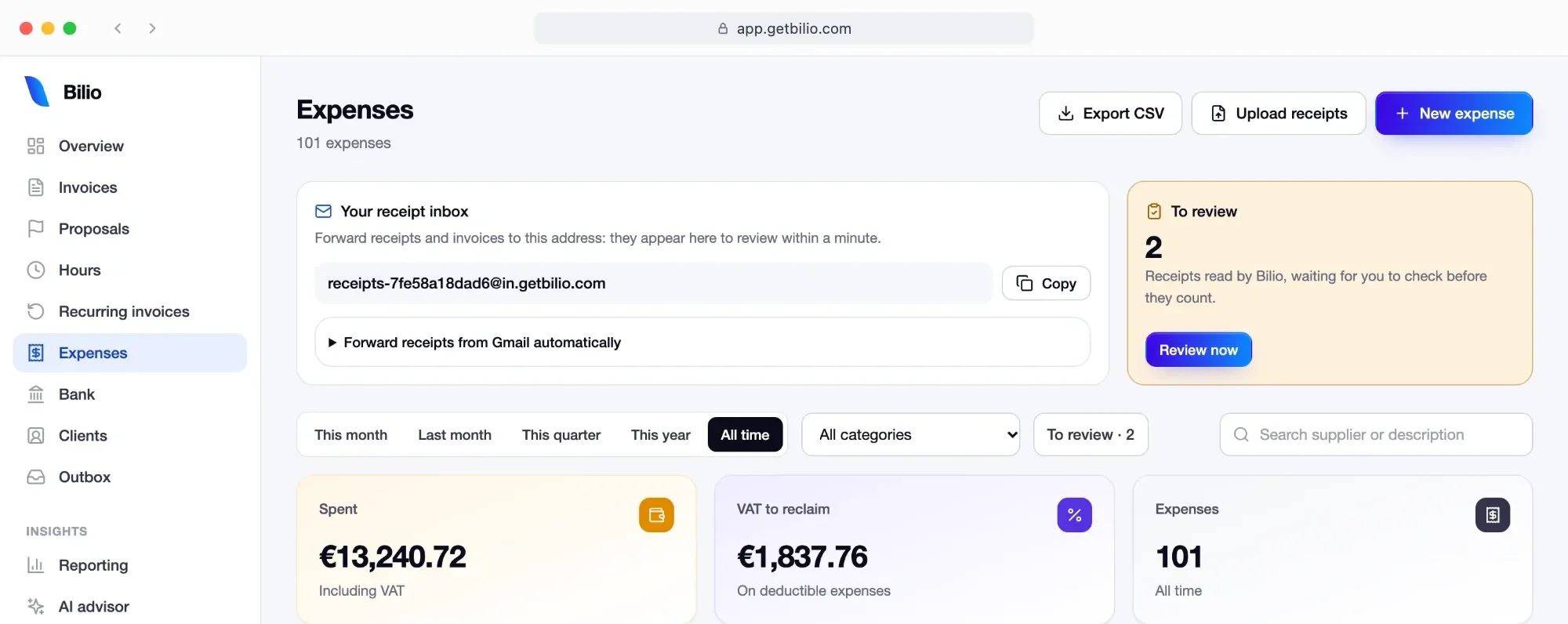
Drop in a month of receipts at once; Bilio reads the supplier, date, amount and VAT of each and flags possible duplicates. Import your bank statement and payments match to invoices and expenses.
Bulk upload
Reads vendor, date and VAT
Duplicates flagged
Bank statement import
03Live
VAT and tax reports
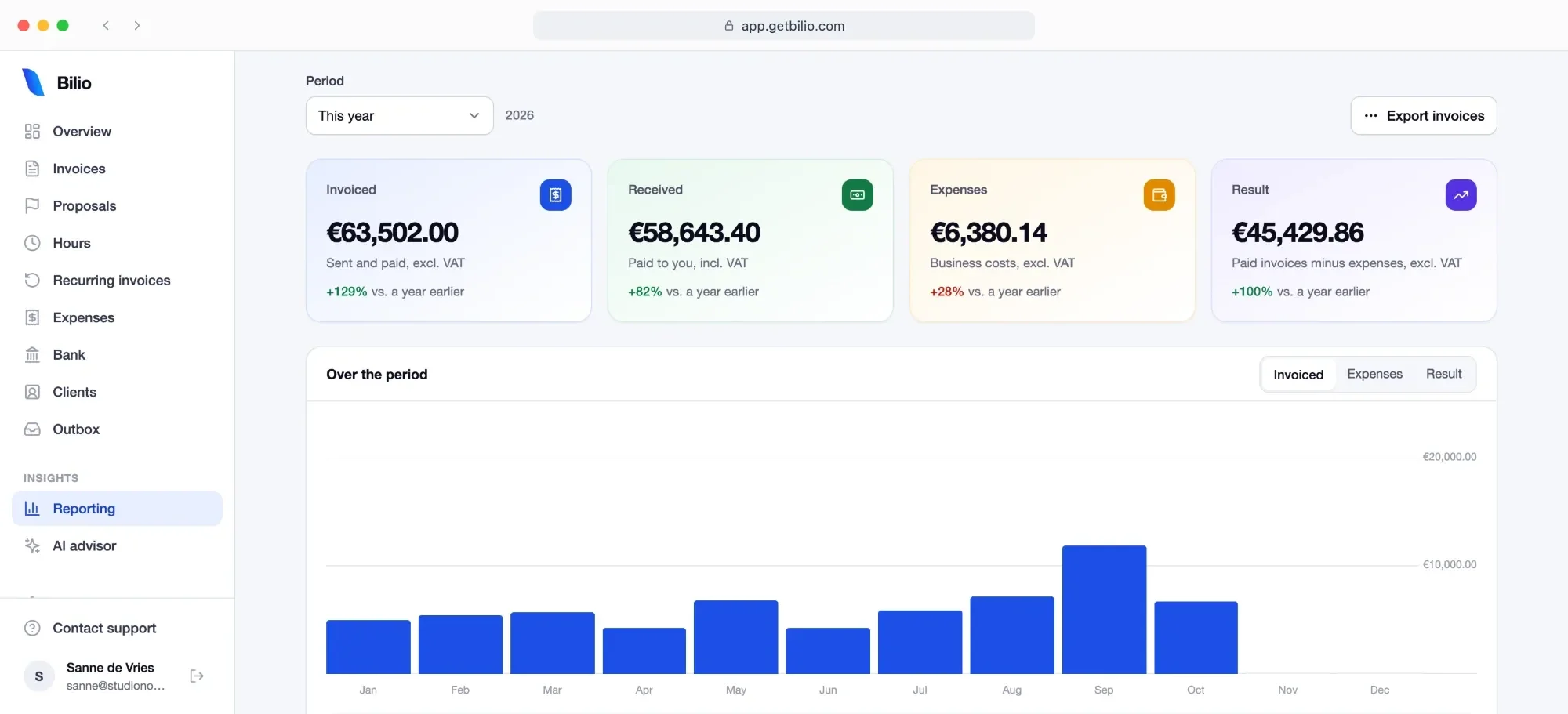
Your quarter’s VAT position at a glance, with the deadline shown. Dutch btw, Spanish IVA and Modelo 130 estimate, Bulgarian DDS. Export for your accountant.
🇳🇱 btw and KOR
🇪🇸 IVA and Modelo 130
🇧🇬 DDS
Deadline shown
04Live
Hours, retainers and your accountant
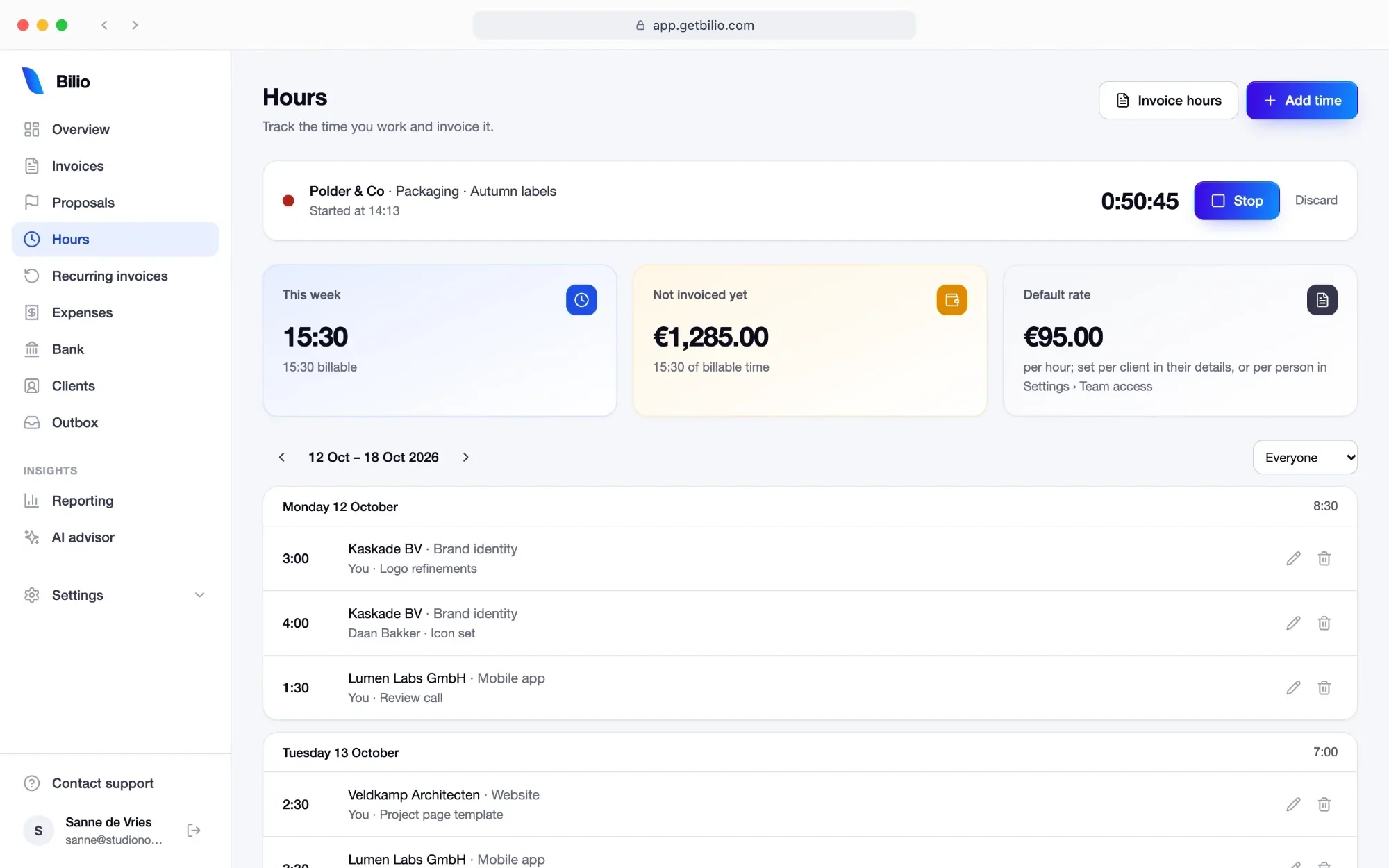
Start a timer or type the time, per client and project, then turn unbilled hours into a draft invoice. Retainers go out on schedule. Invite your accountant free; they read everything and make the year package themselves.
I invoice clients in the Netherlands, Finland and France, split between 21% btw and reverse charge, and I got tired of tools that cap the free plan at three invoices. So I built the one I wanted and have used it for my own studio since July 2025. If something is wrong with it, I find out on my own invoices first.
Stefka Ivanova, founder
“Bilio made sending proposals and invoices feel effortless. Clients always comment on how professional everything looks. Payments come in faster now, and the follow-ups basically run themselves.”
Stefka Ivanovafounder and first user
Natively AI · Live now
Ask Claude to draft the invoice.
Connect Bilio to Claude, ChatGPT or Cursor. Ask who owes you and what your VAT is, draft invoices and quotes, mark them paid, and send invoices, quotes and reminders once you OK a preview, in plain words. You decide what each assistant may do.
Who hasn’t paid me?Draft an invoice for Kestrel & Pine for OctoberWhat is my VAT position for this quarter?Mark 2026-049 as paidLog the €49 Pixelmint receipt as softwareLog 3 hours for Brightfold: design reviewInvoice Kestrel & Pine’s unbilled hoursMake a credit note for 2026-031Duplicate last month’s invoice for BrightfoldWhat was my profit this year?Send a reminder to everyone 14 days lateWho hasn’t paid me?Draft an invoice for Kestrel & Pine for OctoberWhat is my VAT position for this quarter?Mark 2026-049 as paidLog the €49 Pixelmint receipt as softwareLog 3 hours for Brightfold: design reviewInvoice Kestrel & Pine’s unbilled hoursMake a credit note for 2026-031Duplicate last month’s invoice for BrightfoldWhat was my profit this year?Send a reminder to everyone 14 days late
Who hasn’t paid me?Draft an invoice for Kestrel & Pine for OctoberWhat is my VAT position for this quarter?Mark 2026-049 as paidLog the €49 Pixelmint receipt as softwareLog 3 hours for Brightfold: design reviewInvoice Kestrel & Pine’s unbilled hoursMake a credit note for 2026-031Duplicate last month’s invoice for BrightfoldWhat was my profit this year?Send a reminder to everyone 14 days lateWho hasn’t paid me?Draft an invoice for Kestrel & Pine for OctoberWhat is my VAT position for this quarter?Mark 2026-049 as paidLog the €49 Pixelmint receipt as softwareLog 3 hours for Brightfold: design reviewInvoice Kestrel & Pine’s unbilled hoursMake a credit note for 2026-031Duplicate last month’s invoice for BrightfoldWhat was my profit this year?Send a reminder to everyone 14 days late
Draft an invoice for Brightfold for October, 40 hours at 120.
Draft created in Bilio
2026-052 · Brightfold · draft€4,800.00
Nothing has been sent. Open it in Bilio to check and send.
Real users
Four freelancers on the parts they use most.
Invoicing and reminders
“I used to spend hours each week on admin. Now, with Bilio’s recurring invoices and email tracking, I barely lift a finger. It’s like having an assistant who never forgets.”
Alexander GrifithsContent StrategistVAT reports
“Keeping up with VAT used to be a nightmare. Bilio tracks everything in real time, and the reports are ready whenever I need them. I haven’t touched a spreadsheet in months.”
Nela LinaresCreative Marketing LeaderDashboard
“The overview dashboard is a game-changer. I can open Bilio and instantly see how I’m doing, where I’m earning, and what needs attention. It’s the clarity I didn’t know I needed.”
SZSanne ZuidgeestVideographerAI advisor
“The AI suggestions have been surprisingly helpful. Bilio flagged overspending trends I had missed and suggested ways to rebalance my pricing. My profits are up, and I feel in control.”
Create an account with your email and follow the five-step setup: business details, VAT and KvK, IBAN, first client, first invoice. No card, no setup fee, no downloads. Cancel any time and take your data with you.